
API Access
To use the API, you need a BDE account, enable it for the first time from the home page, and obtain your API Key Token. You can access it through the Python bcchapi library, the REST Web Service, or the SOAP service.
To use the API you need a BDE account.
- Yes, I have an account: continue with "How to enable the API?".
- No, I don't have an account: go back to the API home page, register, and then return to this section.
To use the API, you must enable it only once from the main page. To do this:
- Go to the main page of the Statistical Database API.
- Log in with your BDE email and password.
- After logging in, a "Service Status" box will automatically appear in the center of the page.
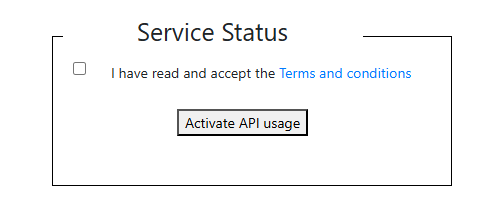
- In this box, accept the terms and conditions of use.
- Press the "Activate API usage" button.
- Done! Your API access is now enabled. Next, get your API Key Token to start using it.
The API Key Token is the new and recommended way to authenticate with the BDE API. To get it:
- Go to the BDE home page and log in with your account.
- Click on “My Account”.
- In the “Apikey Token” section you will find your personal token with a one-year validity period.
From that section you can also:
- Copy token: copy the API Key Token to use it directly in your requests.
- Renew Token: generate a new API Key Token if the current one has expired.
- Extend expiration date: extend the validity of the current API Key Token without replacing it.
Once you have your API Key Token, use it to authenticate in Python and the REST endpoint. The SOAP service requires email and password.
bcchapi Library (Python)
With the token directly:
siete = bcchapi.Siete(token="your_token")
REST Endpoint (URL)
Include the token parameter in the URL:
Example to query the USD exchange rate
SOAP Client (C#)
Define the variables with your credentials and use them in the methods:
string user = "user@example.com";
string password = "your_password";
string[] series = new string[] { "F073.TCO.PRE.Z.D" };
string firstDate = "2024-01-01";
string lastDate = "2024-12-31";
// Instantiate SOAP client
SieteWS client = new SieteWS();
// Call method
var result = client.GetSeries(
user: user,
password: password,
seriesIds: series,
firstDate: firstDate,
lastDate: lastDate
);
See the Documentation section where you will find complete examples and detailed technical information for each environment.